Agent Teams
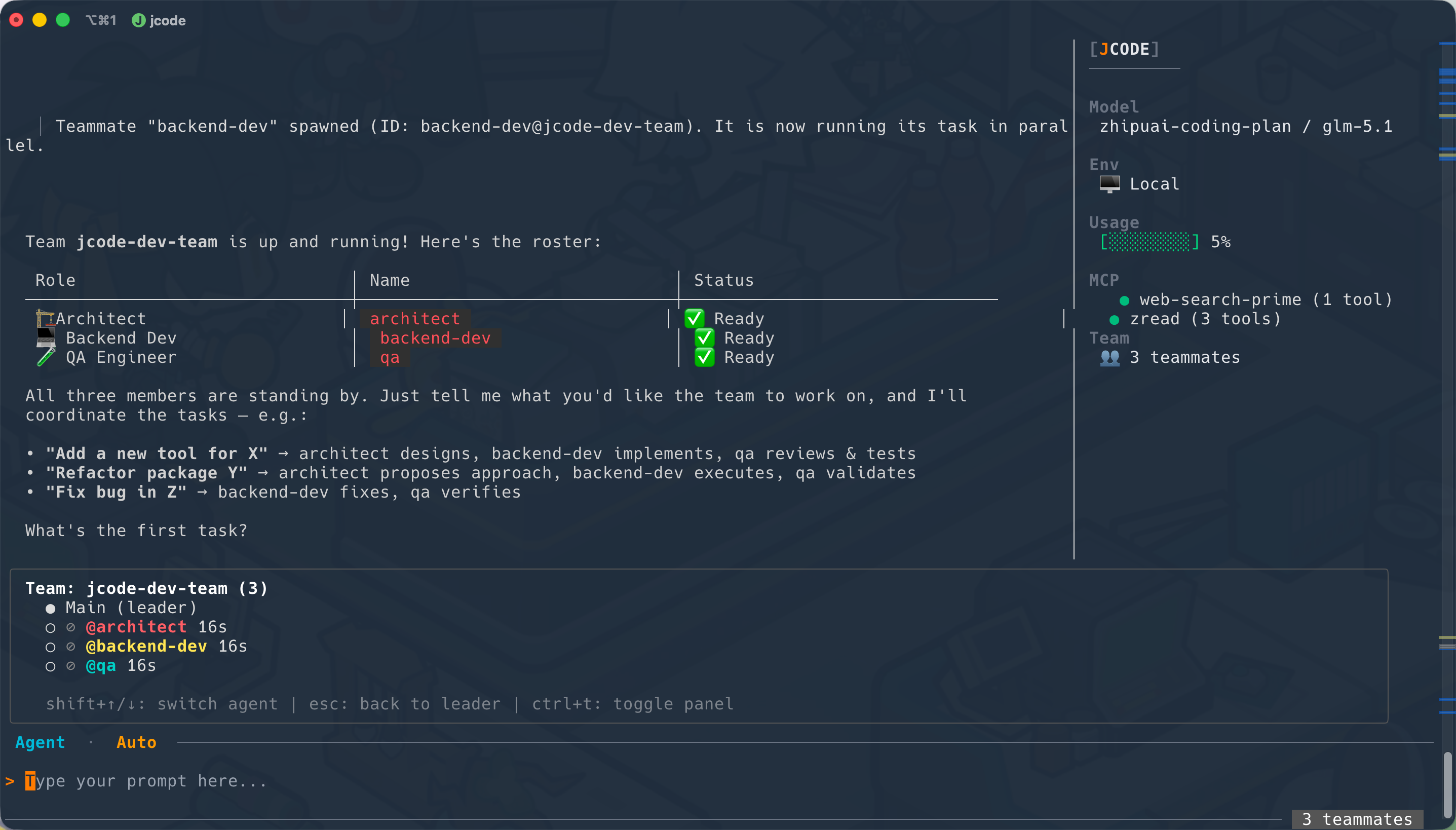
Agent Teams let you spawn multiple AI teammates that work in parallel on different parts of a task. The lead agent coordinates, and teammates communicate through a message-passing system.
When to Use Teams
Teams are ideal for:
- Large refactors — One agent handles backend, another handles frontend
- Parallel investigations — Multiple agents research different subsystems simultaneously
- Complex tasks — Break work across specialized agents (architect, coder, reviewer)
How Teams Work
- The lead agent creates a team with
team_create - Teammates are spawned with
team_spawn— each gets a role and task - Teammates idle until they receive a message
- The lead sends tasks via
team_send_message - Teammates work independently and respond
- Use Shift+Up/Down to switch between agent views in the TUI
  ╭ Team: dev-team (2) ───────────────────────────╮
  │  ● Main (leader)                               │
  │  ○ ⟳ @architect 1m32s [3 tools]               │
  │  ○ ◇ @backend   0m45s                          │
  │                                                 │
  │  shift+↑/↓: switch agent | esc: back to leader │
  ╰─────────────────────────────────────────────────╯
Example: Building a Feature
You › Create a team and spawn a backend developer

  ⚙ Tool  team_create   team_name=dev-team
     ✓ Done

  ⚙ Tool  team_spawn   name=backend  prompt="Senior Go backend developer"
     ✓ Done

You › Send backend a task

  ⚙ Tool  team_send_message   to=backend  message="Add pagination to /users"
     ✓ Message sent to @backend
Teammate Types
| Type | Tools | Description |
|---|---|---|
| explore | Read-only | Research and analysis without modifying files |
| general | Full tools | Can read, write, edit, and execute |
| coder | Full tools | Focused on writing and modifying code |
Message Passing
Teammates communicate through a mailbox system:
- Each teammate has an inbox
- Messages are delivered instantly
- Use
to="*"to broadcast to all teammates - Messages include sender name, timestamp, and summary
Teammate Lifecycle
pending → idle → running → idle (loop) → completed/failed/killed
- pending — Just created, initializing
- idle — Waiting for a message (polls every 500ms)
- running — Actively working on a task
- completed — Finished and shut down gracefully
Configuration
{
  "team": {
    "max_teammates": 5,
    "mailbox_poll_ms": 500,
    "message_cap": 50
  }
}
| Setting | Default | Description |
|---|---|---|
max_teammates | 5 | Maximum teammates per team |
mailbox_poll_ms | 500 | How often teammates check for messages |
message_cap | 50 | Maximum messages displayed per teammate |
Only one team can be active at a time. Use team_delete to dissolve a team before creating a new one.
Approval for Teammates
When a teammate makes a mutating tool call, the approval dialog shows the teammate’s name and color so you know which agent is requesting permission:
  ⚙ Tool  edit  [@backend]  path=users.go
  Approve? [Y]es / [A]ll / [N]o
Managing Teams
| Action | How |
|---|---|
| Create a team | team_create tool |
| Add a teammate | team_spawn tool |
| Send a task | team_send_message tool |
| Check status | team_list tool |
| Dissolve the team | team_delete tool |
| Switch views | Shift+Up/Down in TUI |
| Toggle team panel | Ctrl+T in TUI |